Product Form and Anatomy: a practical CGI guide
Product form follows function, manufacturing and brand. Study color, material and finish (CMF) together.
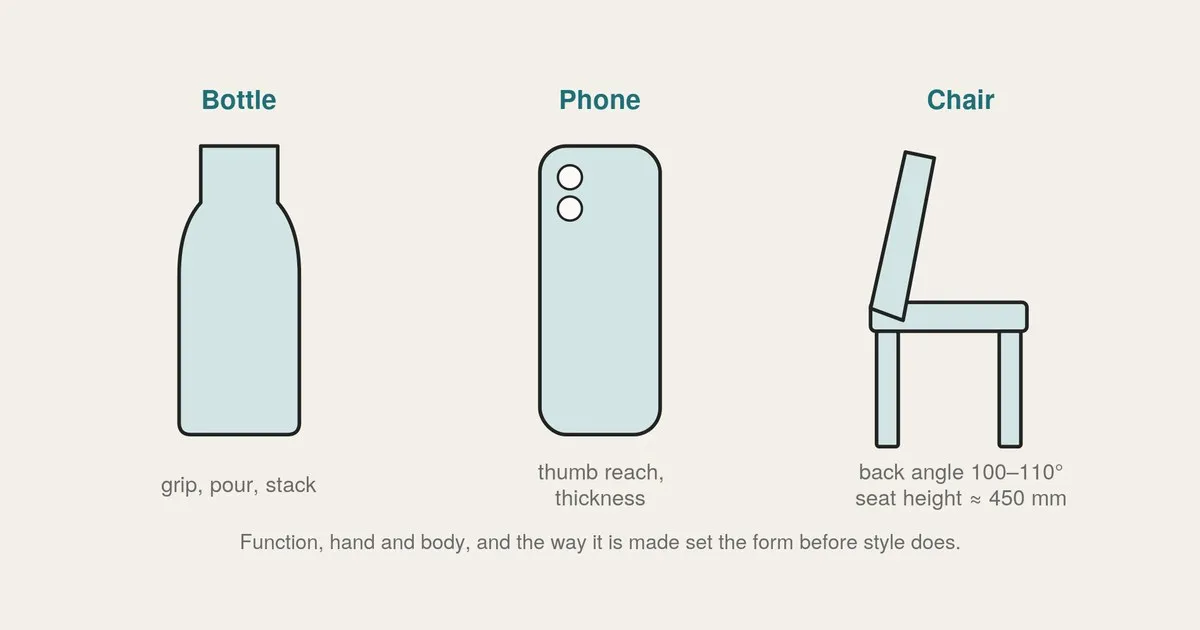
Most advertising CG sells either an object or a person’s experience of an object. Knowing why a product has its shape, how it is made, and how a hand actually holds it makes your models correct and your animation believable. It also lets you talk with designers and engineers in their language.
Key points
- Product form follows function, manufacturing and brand. Study color, material and finish (CMF) together.
- Technical drawings give dimensions in millimeters; model from them, not by eye.
- The human figure is about 7.5 heads tall; the hand has 27 bones and sets the scale of most products.
- A believable product sits in a believable hand: check the ratio.
Why Products Look the Way They Do
- Function: What must it do (hold liquid, fit a hand, be stacked)?
- Ergonomics: The human body sets sizes — grip diameter, button spacing, handle height.
- Manufacturing: Injection molding needs draft angles and uniform wall thickness; stamped metal needs radii; glass blowing makes certain shapes natural. Visible parting lines and gates are real features.
- Brand language: A family of products repeats a shape language: corner radius, line weight, proportion.
- Result: A model with correct radii, parting lines and wall thickness reads as “real” even before materials.
CMF: Color, Material, Finish
- Color: Brand and colorway names.
- Material: What it is made of — ABS plastic, polycarbonate, anodized aluminum, borosilicate glass, silicone, leather.
- Finish: How the surface is treated — matte, glossy, brushed, bead-blasted, soft-touch, textured (grain), polished.
- Why this matters in CG: A shader is a description of a CMF decision. If you can name the finish, you can build it.
- Variants: Advertising often needs many colorways of one model. Plan for it: separate material slots, one master model.
Reading Technical Information
- Dimensions and tolerances: Take sizes from the drawing, not by eye.
- Technical drawings: Orthographic views (front, side, top), sections, dimensions — the base for a precise blueprint model.
- CAD/STEP from a client: Accurate but heavy and not renderer-friendly; treat it as a measurement source.
- Packaging: Labels, dielines and print finishes (varnish, foil, embossing) are separate textures with separate material properties.
Hands and the Human Figure in Product Work
- Proportions: The figure is about 7.5 heads tall; the hand is about the size of the face.
- The hand: 27 bones, three finger segments, the thumb opposable. Grips: power grip (palm wraps the object), precision grip (fingertips), pinch (thumb and index).
- Contact: A hand holding an object deforms skin at contact points and leaves visible pressure; gaps between hand and object read as fake.
- Scale: Objects are sized to hands. A 10 cm product in a 19 cm hand is a believable ratio; check it.
- Common exam: Hands and faces are where viewers detect errors first. Product ads often hide this by keeping the hand out of frame or using a stylized hand — decide deliberately.
Basic Anatomy for the 3D Artist
- Skeleton: Sets proportions and joint limits. A joint bends in specific axes only.
- Muscle and fat: Define the surface forms between the landmarks.
- Landmarks: Points where bone is near the surface (collarbone, elbow, knuckles, knee). They stay visible in every pose and guide topology and rig placement.
- Weight and balance: A figure’s center of mass sits above the supporting foot or feet; poses that violate this look wrong.
- Why now: The same ideas return in rigging and character animation.
In the tools
- Blender: Import orthographic reference drawings as Background Images in front, side and top views; match the grid scale to real units. Use the free Rigify skeleton as a reference of proportions.
- Photoshop: Scale front, side and top photos to the same pixels-per-millimeter before importing them as blueprints.
- Unreal Engine 5: MetaHuman gives realistic human figures to check product scale against hands and faces.
- Outside: Manufacturers’ product pages and spec sheets for dimensions; open datasets of hand and figure meshes for proportions.
Common mistakes
- Perfectly sharp edges on every object: real parts have radii.
- Wall thickness of zero: glass and plastic always have thickness.
- Ignoring parting lines and fasteners that a viewer would notice.
- Hands that do not touch the product or are the wrong size.
- Treating anatomy as memorization instead of landmarks and proportion.