The Software Map: a practical CGI guide
Learn the categories of tools, not just the programs: programs change, categories do not.
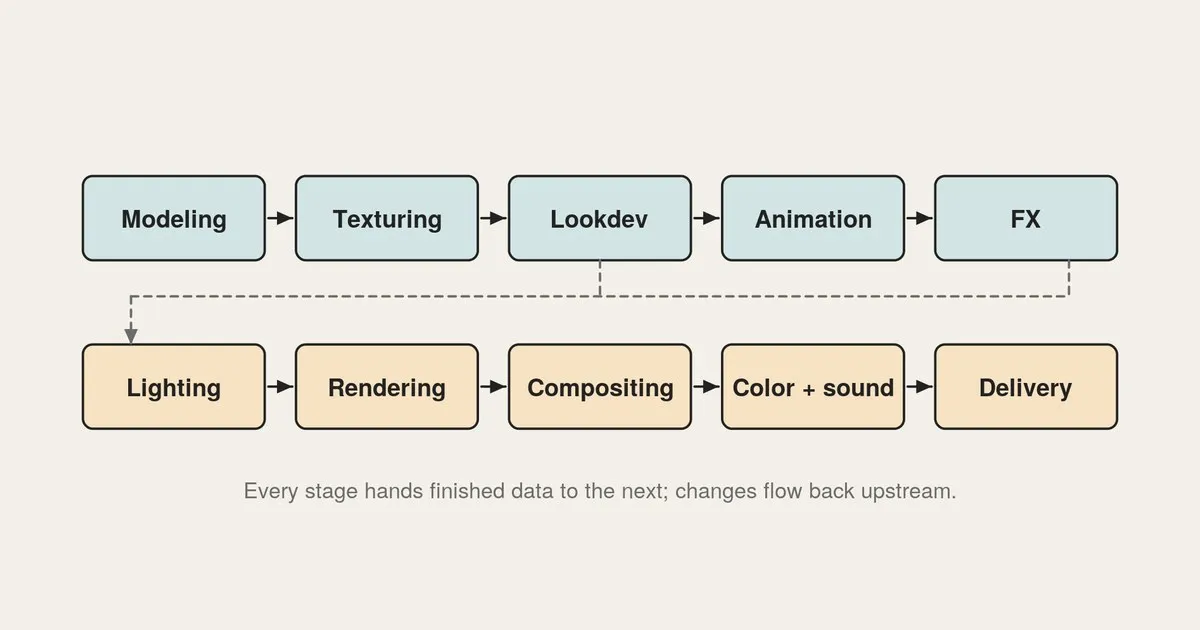
There are dozens of 3D programs and a new one appears every year. Instead of memorizing them, learn the map: what categories of work exist, which program class does each, and how to pick a stack under a budget. Programs change; categories do not.
Key points
- Learn the categories of tools, not just the programs: programs change, categories do not.
- This book’s base stack is Blender, DaVinci Resolve, Unreal Engine 5 and Photoshop; other tools join when a task needs them.
- The free options already cover a complete pipeline. Paid tools add speed, not permission.
- Start with one 3D program, one renderer and one finishing tool.
The Categories
- DCC (digital content creation): The main program where scenes live — Blender, Maya, Cinema 4D, 3ds Max, Houdini.
- Sculpting: ZBrush, Blender Sculpt, Nomad Sculpt.
- Texturing: Substance Painter and Designer, Mari, Quixel Mixer.
- Render engines: Cycles, Karma, Arnold, Redshift, Octane, V-Ray, Unreal Lumen.
- Compositing: Nuke, DaVinci Fusion, After Effects, Blender Compositor.
- Color and finishing: DaVinci Resolve, Baselight.
- Real-time engines: Unreal Engine, Unity.
- Scene interchange: USD, Alembic, FBX.
- Support: CAD (Fusion, Rhino, SolidWorks), photogrammetry, tracking (SynthEyes, 3DEqualizer), music and sound.
The Major DCCs Compared
| Program | Strength | Typical use |
|---|---|---|
| Blender | Free, complete, fast-moving, huge community | Modeling, animation, lookdev, small FX, solo and small studios |
| Houdini | Procedural and simulation power, USD-based Solaris | FX, procedural systems, large scenes, pipeline-heavy studios |
| Cinema 4D | Quick motion graphics, Mograph, stable | Motion design, advertising, broadcast |
| Maya | Character animation and rigging, studio standard | Feature animation, games, VFX characters |
| 3ds Max | Archviz, hard-surface, product viz | Architecture and product visualization |
- This book’s base stack: Blender (modeling, shading, animation, simulation, render), DaVinci Resolve (edit, color, finishing), Unreal Engine 5 (real-time) and Photoshop (stills and textures). Other programs, such as Houdini for procedural systems and simulation, Substance for textures or Nuke for compositing, are connected whenever a task needs them. Every principle in the book transfers between tools.
Choosing a Stack
Ask in this order:
- What will you deliver? Product packshots, motion design, character, FX, real-time?
- What do your target clients and studios use? Look at job listings and showreel credits.
- What is the budget? Free options (Blender, DaVinci Resolve free, Krita, Unreal) already give a full pipeline. Paid tools add speed, not necessity.
- How many programs can you maintain? Each tool costs learning time and updates. Start with one DCC + one renderer + one compositor.
- Subscriptions and licenses: Check student, indie and educational licenses; keep proof of license for commercial work.
- Open-source advantage: Blender, Krita, OpenColorIO, USD, OpenEXR are open and will not disappear with a vendor decision.
- Plugin dependency: Every plugin is a risk at upgrade time. Prefer built-in tools when quality is equal.
Learning Strategy
- Principle first, button second: Learn the idea behind a tool, then where the button is.
- One tool deeply: Reach “can deliver a finished shot” in one DCC before opening a second.
- Project-based: Learn the next tool only when a project needs it.
- Keep a “tool log”: For every tool you learn, a one-page note: what it is for, three workflows, three errors you made.
In the tools
- Blender: Preferences → Add-ons lists built-in add-ons; install only what you use. Check Help → Release Notes before upgrading.
- Houdini: Houdini Apprentice is free for non-commercial use; Houdini Indie is a low-cost commercial license. Karma is included.
- Interchange test: Export a simple scene from Blender to USD and open it in Houdini to learn the path before a project depends on it.
- Base stack licenses: Blender is free and open source. DaVinci Resolve has a free version and a paid Studio version (more codecs, noise reduction, higher resolutions). Unreal Engine is free to download; read the current license terms for commercial work. Photoshop is a subscription.
Common mistakes
- Installing ten programs and finishing nothing.
- Buying a subscription before knowing the need.
- Chasing the program a famous artist uses instead of the program a client needs.
- Learning plugins before the base tool.
- Upgrading mid-project.